LitLab
A media literacy app designed to combat misinformation through critical thinking and habit-building
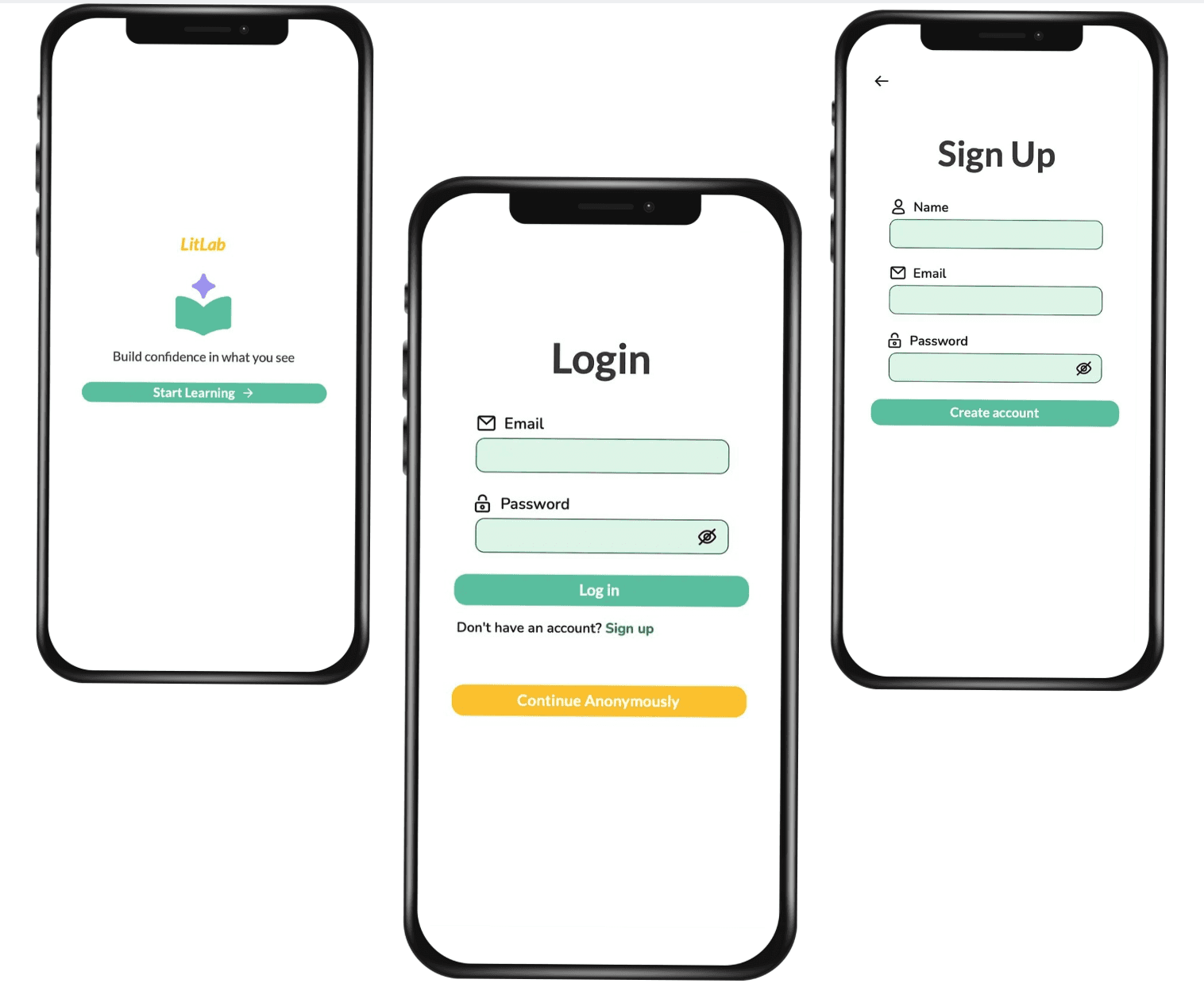
Role
UI/UX Designer
Scope
UI Design, UX Flow, Prototyping
Type
Academic Product Concept
Tools
Figma, FigJam
Overview
LitLab is designed to help users critically evaluate online information through guided prompts, interactive modules, and practical toolkits that support habit-building and reflection
The Problem
- Students frequently encounter fast-moving, unverified information online.
- AI-generated content has made credibility harder to assess at a glance.
- Students lack accessible, habit-forming tools to pause, reflect, and evaluate information.
The Solution
- Empower users with guided evaluation prompts to critically question media content.
- Offer interactive media literacy learning experiences.
- Build reflection into everyday media consumption through habit-forming features.
Research
Understanding users before designing solutions
Empathy Mapping
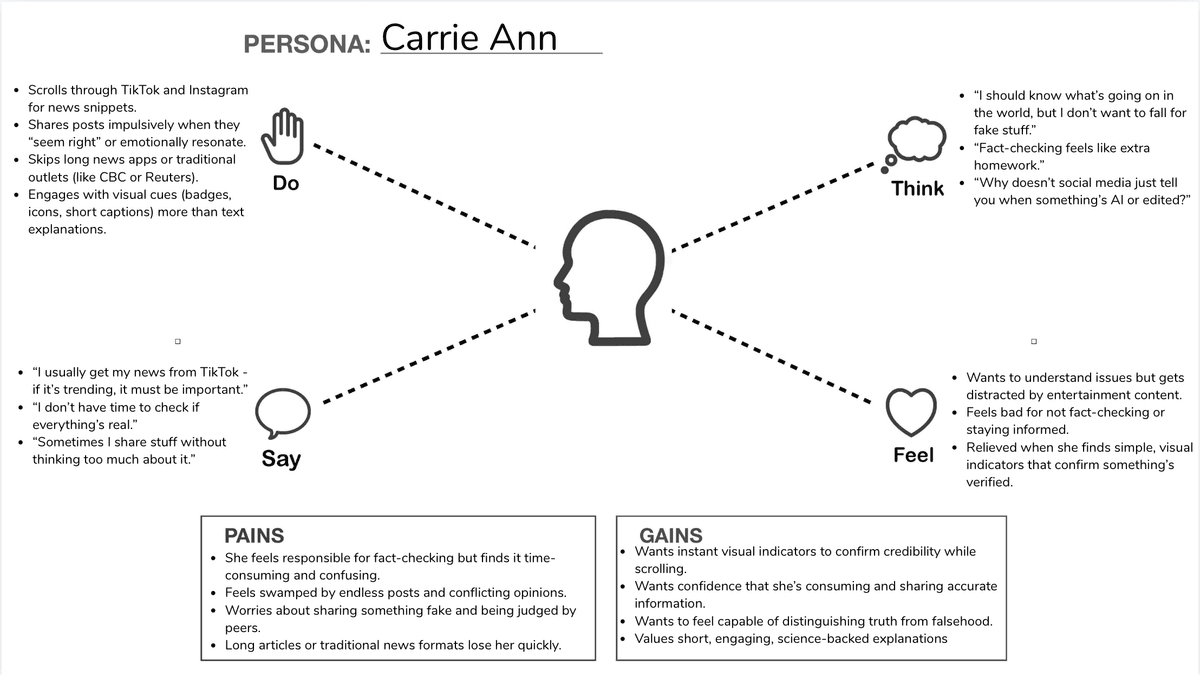
To better understand how people engage with online information, I conducted three user interviews and synthesized the insights into two core personas: Max Wilson and Carrie Ann.
Mapping each persona's actions, thoughts, and emotions helped surface key frustrations, motivations, and opportunities that directly informed the product's direction.
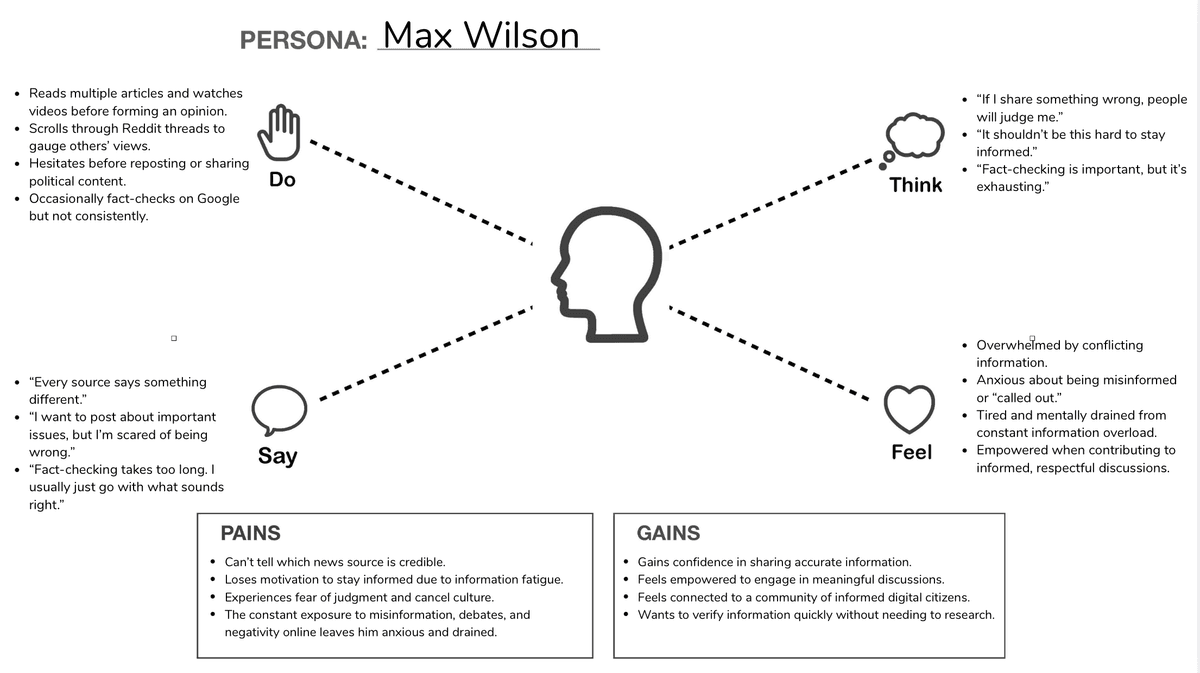
Max Wilson's Empathy Map
Carrie Ann's Empathy Map
Personas
I translated the empathy maps into two personas representing distinct ways people encounter and evaluate online information
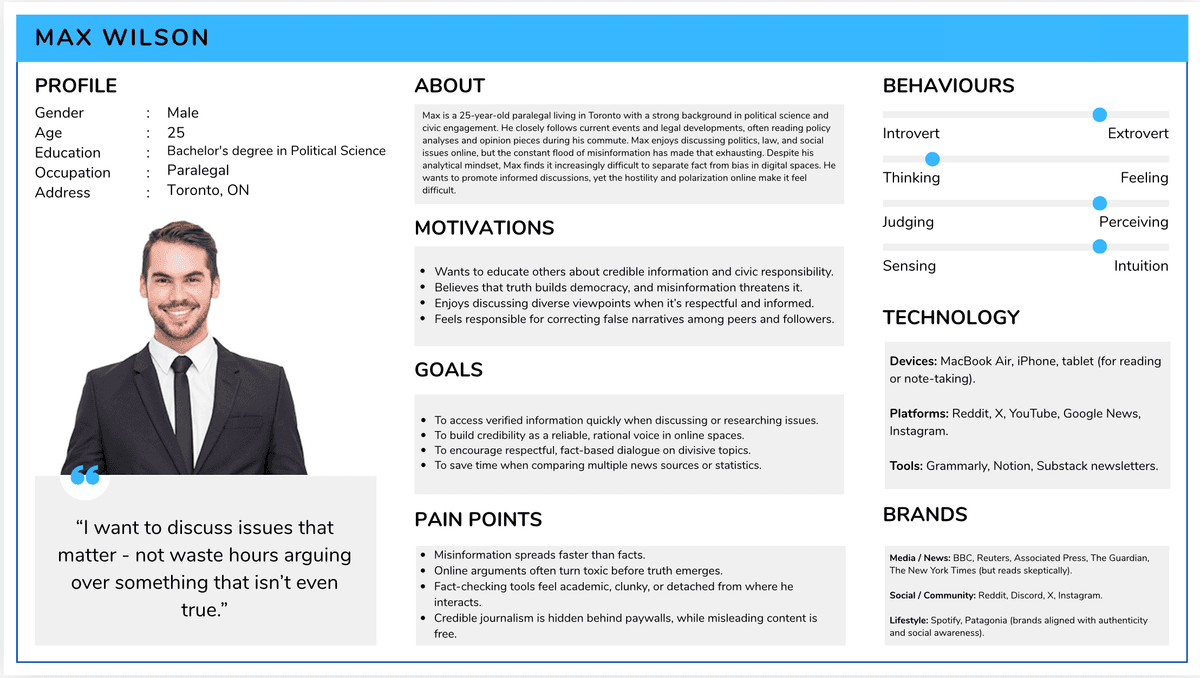
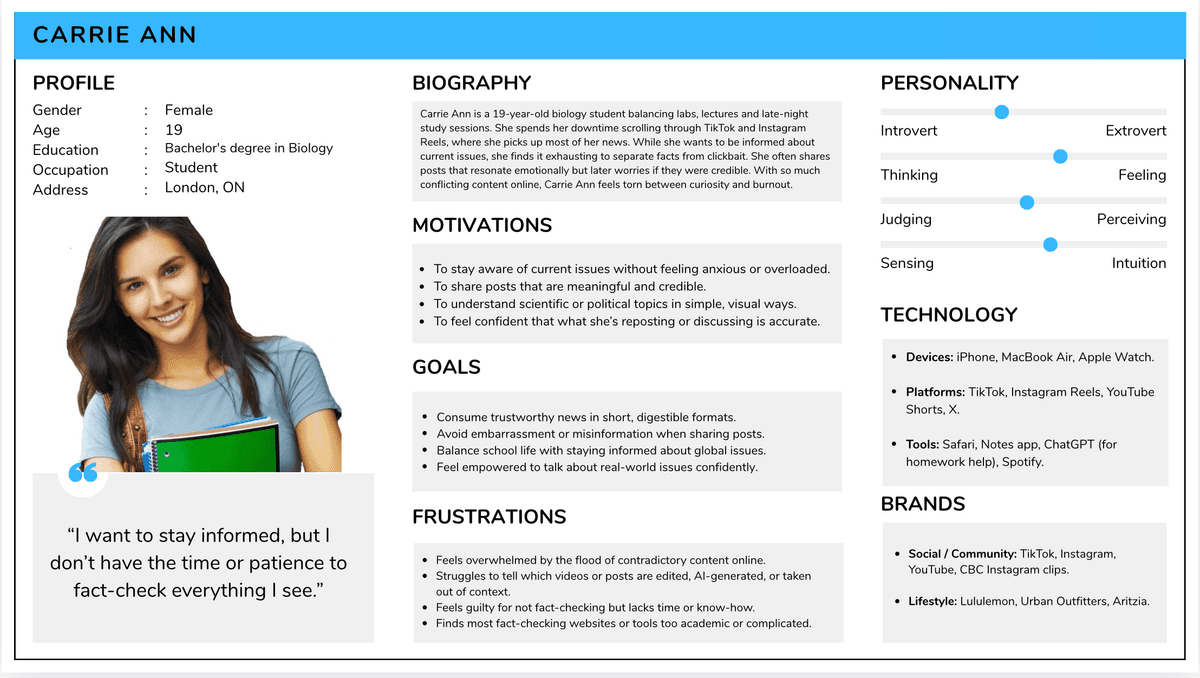
Max Wilson's Persona
Carrie Ann's Persona
Ideate
Turning Pain Points Into Solutions
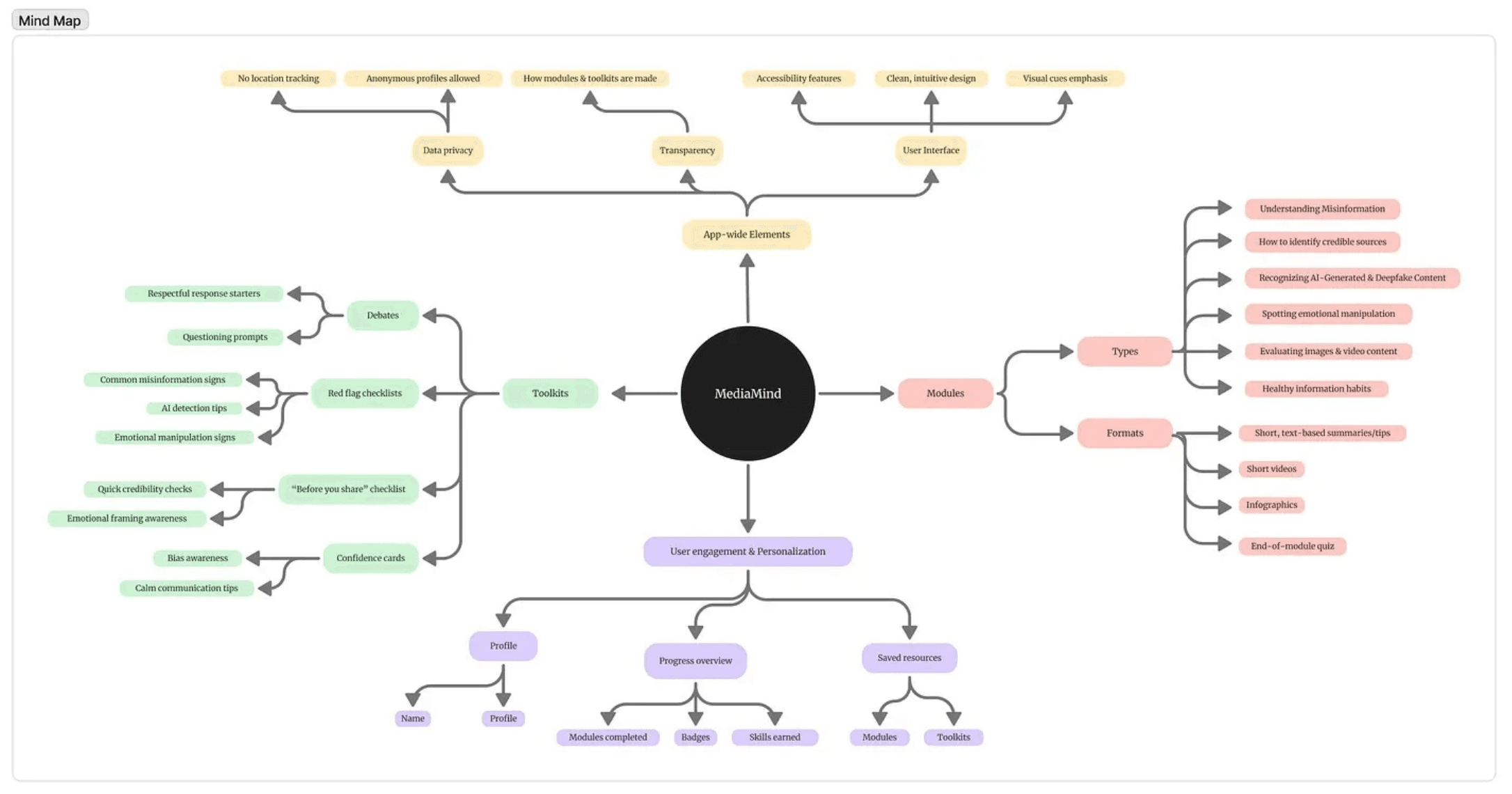
Mind Mapping
To explore the app's core ideas, I used mind mapping to visualize potential features, learning modules, and quick-action tools
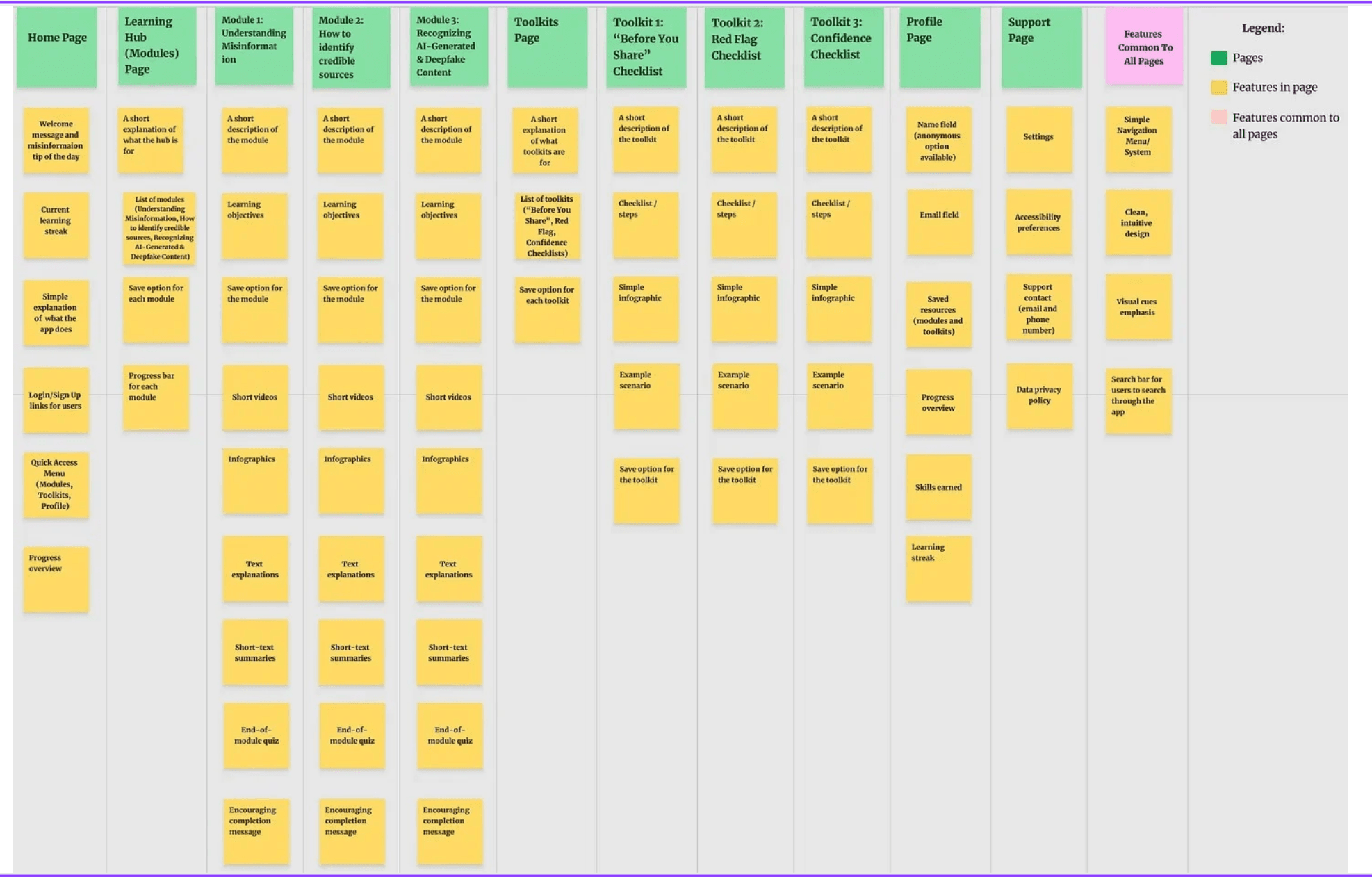
Card Sorting
I used card sorting to group related features into clear pages and sections
Design Decisions and Outcomes
What Didn't Work
- Overwhelming onboarding with too many prompts
- Long-form articles users wouldn't read in-app
What Was Improved
- Streamlined to 3 core actions on home screen
- Micro-prompts replace long articles
What Made It to the Prototype
- Daily media check-in prompts
- Credibility rating tool with guided questions
- Habit tracker with streak system
- Modular learning cards
Prototype
From structure to interaction
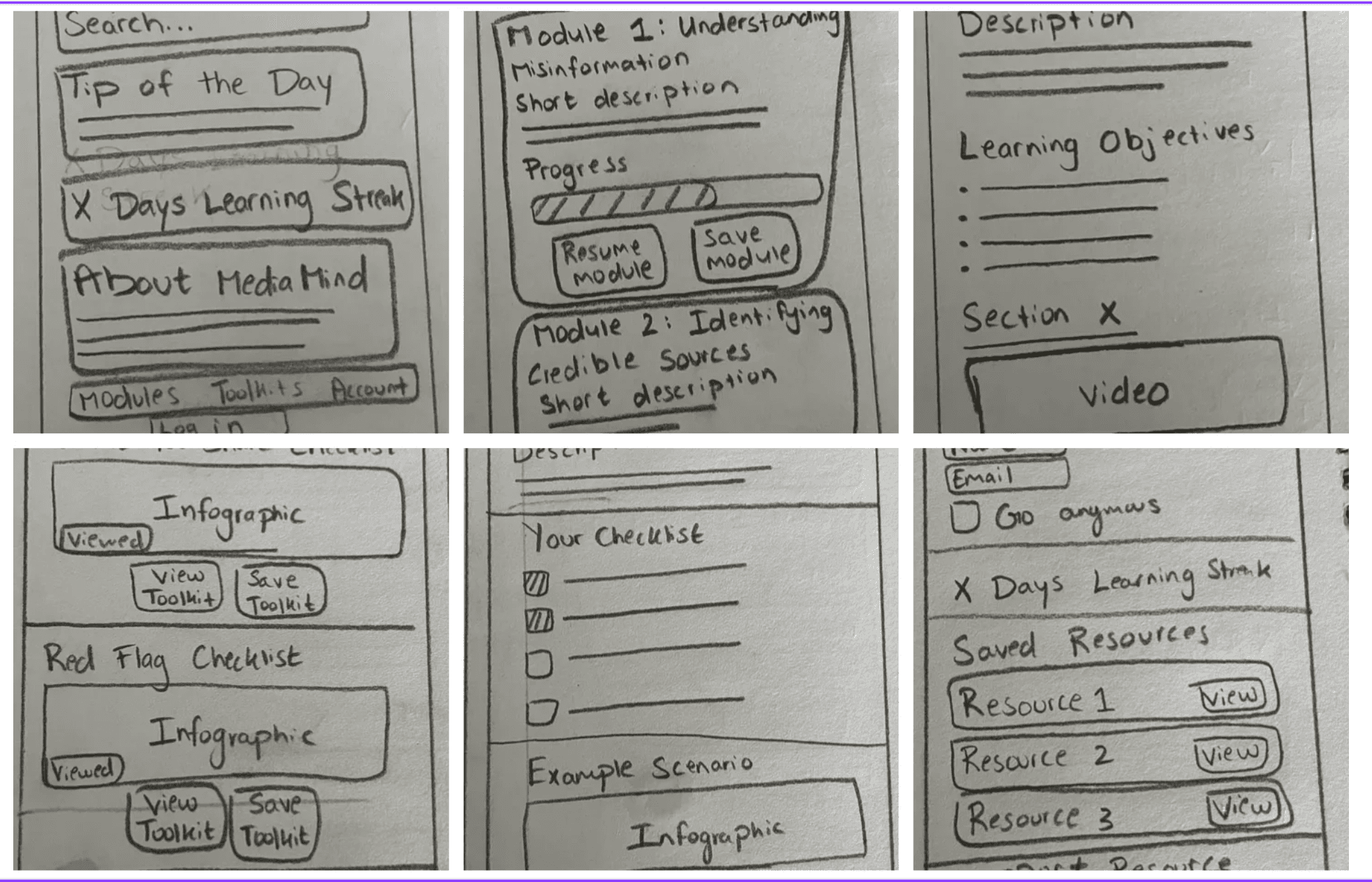
Sketches
I began by sketching each screen on paper using the card-sorted structure as a foundation for navigation and layout
Low-Fidelity Prototype
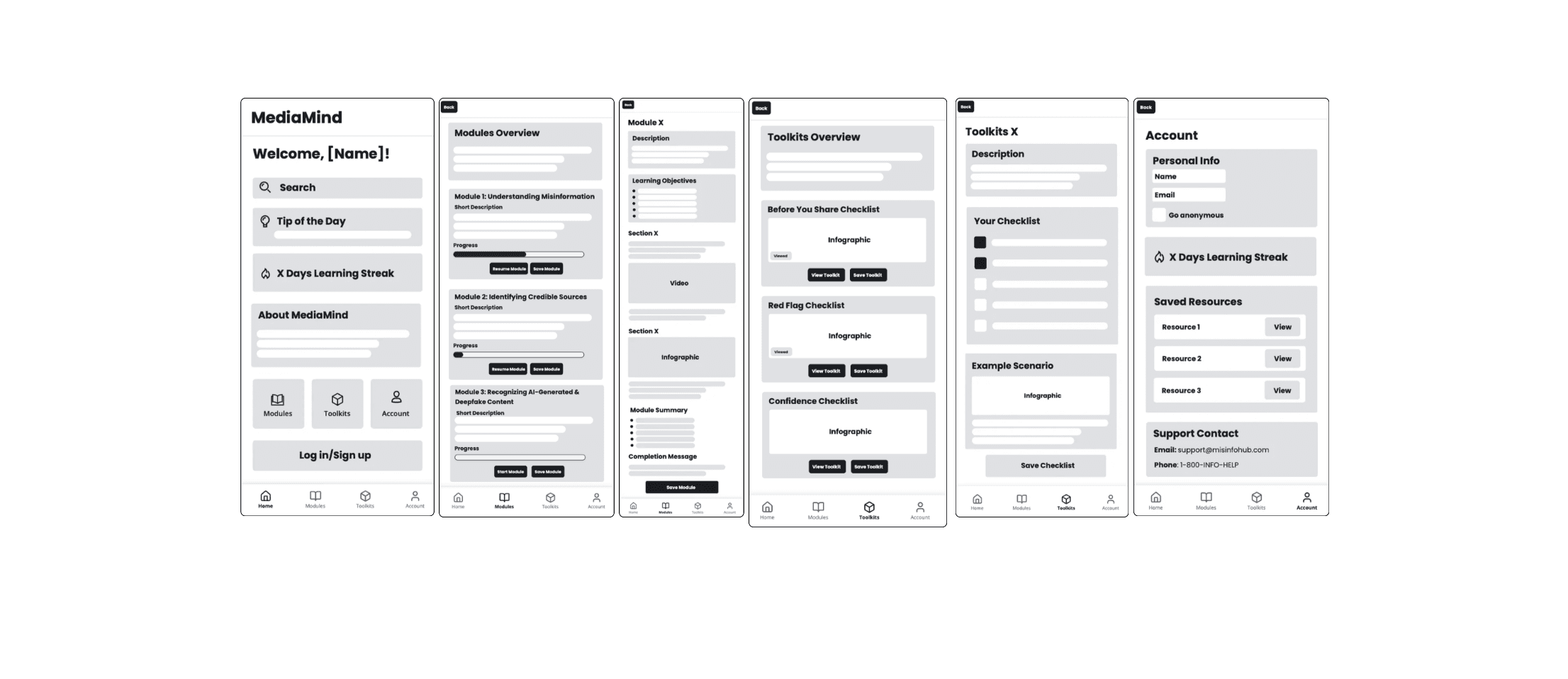
I translated the sketches into a low-fidelity prototype and gathered early feedback from peers, AI-assisted usability analysis, and instructor input
High-Fidelity Prototype
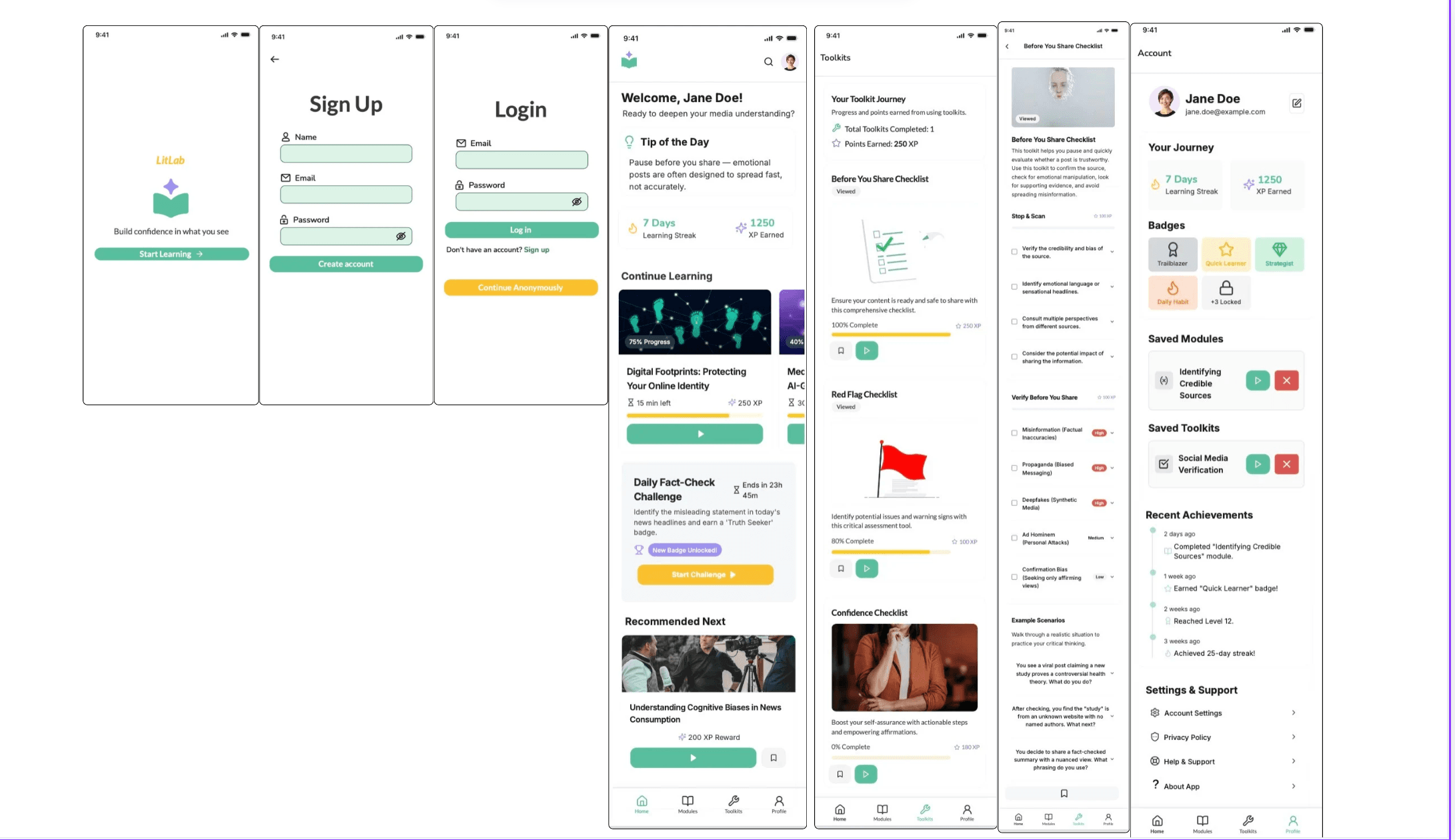
The high-fidelity prototype refined LitLab's visual design, interactions, and user flow based on earlier feedback and testing
Feedback
What I Learned Through Iterations
LitLab challenged me to think critically about clarity, scope, and user attention, especially within the constraints of mobile design.
This process strengthened my understanding of iterative design, visual hierarchy, and balancing meaningful content with usability.